 SelfCtrl
Logging, minus the typing
Logging a meal should take less effort than deciding whether to bother.
Photograph it, describe it, or tap a drink
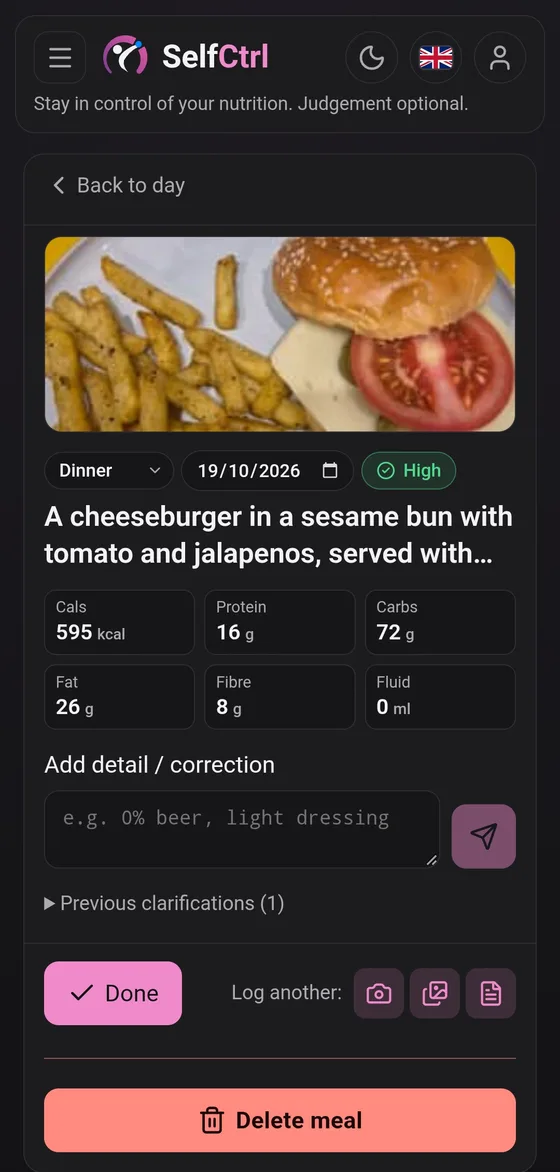
Take a photo, pick one from your gallery, or write a line like "two eggs on toast and a flat white". Photo and text both work for a whole meal or just part of one. A drink you already know the size of (250, 330, 400 or 500 ml) is a single tap, and that's your number, not an estimate.
Get an estimate
A few seconds later you have calories, protein, carbs, fat and fibre for the meal, with a confidence label (high, medium or low) so you know how much weight to put on it. If the picture leaves something that matters unclear, such as how much oil went in the pan, it can ask rather than guess quietly.
Correct it in a sentence
"No rice." "Double the chicken." "It was a small portion." The estimate adjusts. You don't start the entry again, and you don't weigh anything.
Carry on with your day
The meal goes under breakfast, lunch, dinner or snacks, on whichever day it belongs to. Logging saves on your device first and sends when it can, so a bad signal doesn't lose a meal and a retry never makes a duplicate.
What you won't find
- Ingredient lists to type out
- Weights to enter
- A database of branded foods to dig through
The point is to spend your effort on the food, not the form.
What happens to a photo
Photos are shrunk on your device before they're sent, and location is off unless you turn it on. Your data has the rest.